


How do you bring plans and actuals together?
How do you reconcile budgets, forecasts and actual figures when they come from different sources or tools?
Your planning in focus
What questions are you facing in your corporate planning?
How do you reconcile budgets, forecasts and actual figures when they come from different sources or tools?
How do you coordinate comments, changes and approvals across the teams involved?
How do you connect operational drivers, targets and scenarios to address your planning questions?
Planning in Microsoft Fabric
Planning in Microsoft Fabric is an integrated solution for corporate planning. It supports budgets, forecasts and scenarios, and brings planning and analytics together on one platform.
Want to know what this means for your planning? Talk to us about your questions and requirements.
Planning in practice
Allocate targets, change assumptions and review forecasts: these example views bring different planning approaches to life.
We can discuss together which features and settings suit your environment. Click an image to open the full-size version in a new tab.
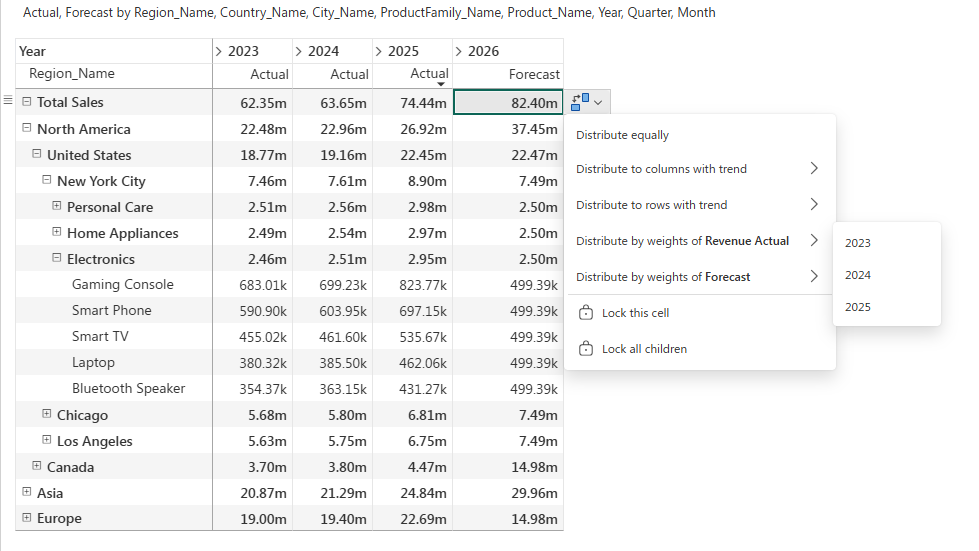
How do you turn an overall target into a plan for regions and products? The top-down view shows allocation options, such as using existing revenue shares or forecast weights.
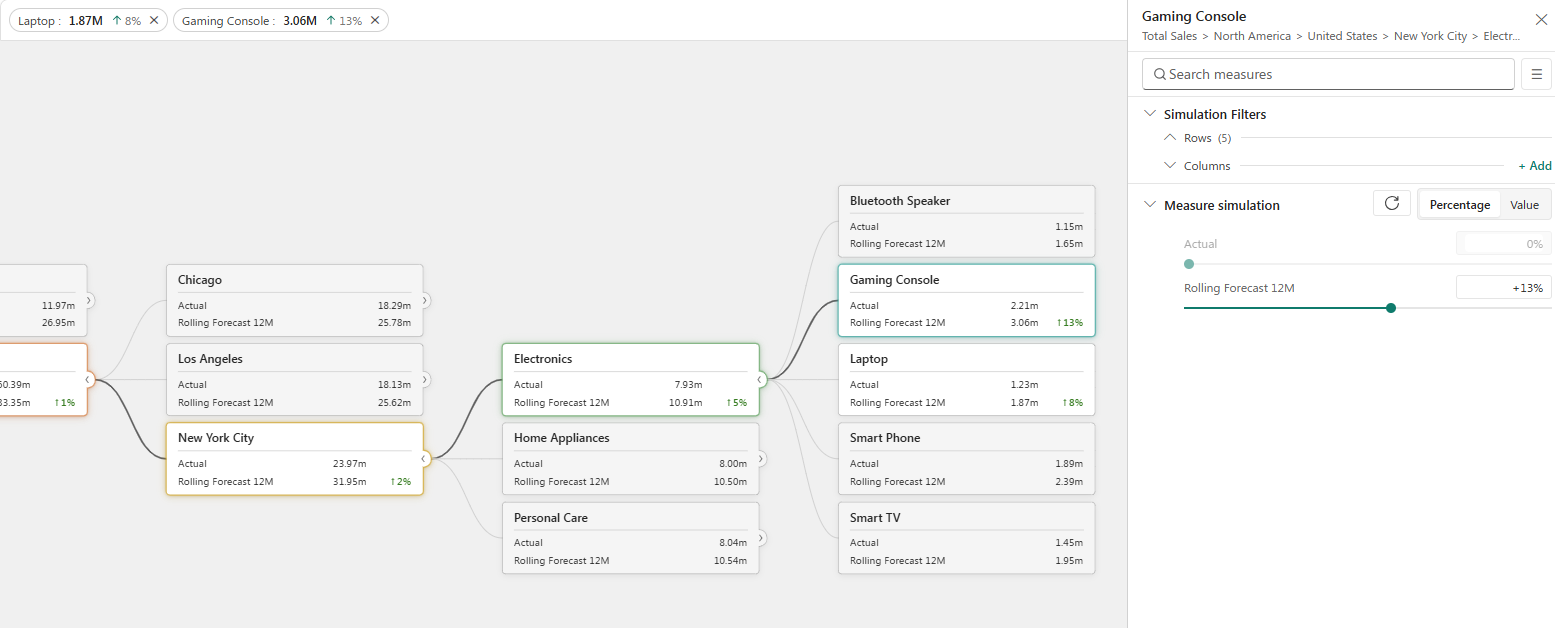
What changes when you assume different values for individual products? The scenario view shows adjustments across regions, product groups and products.
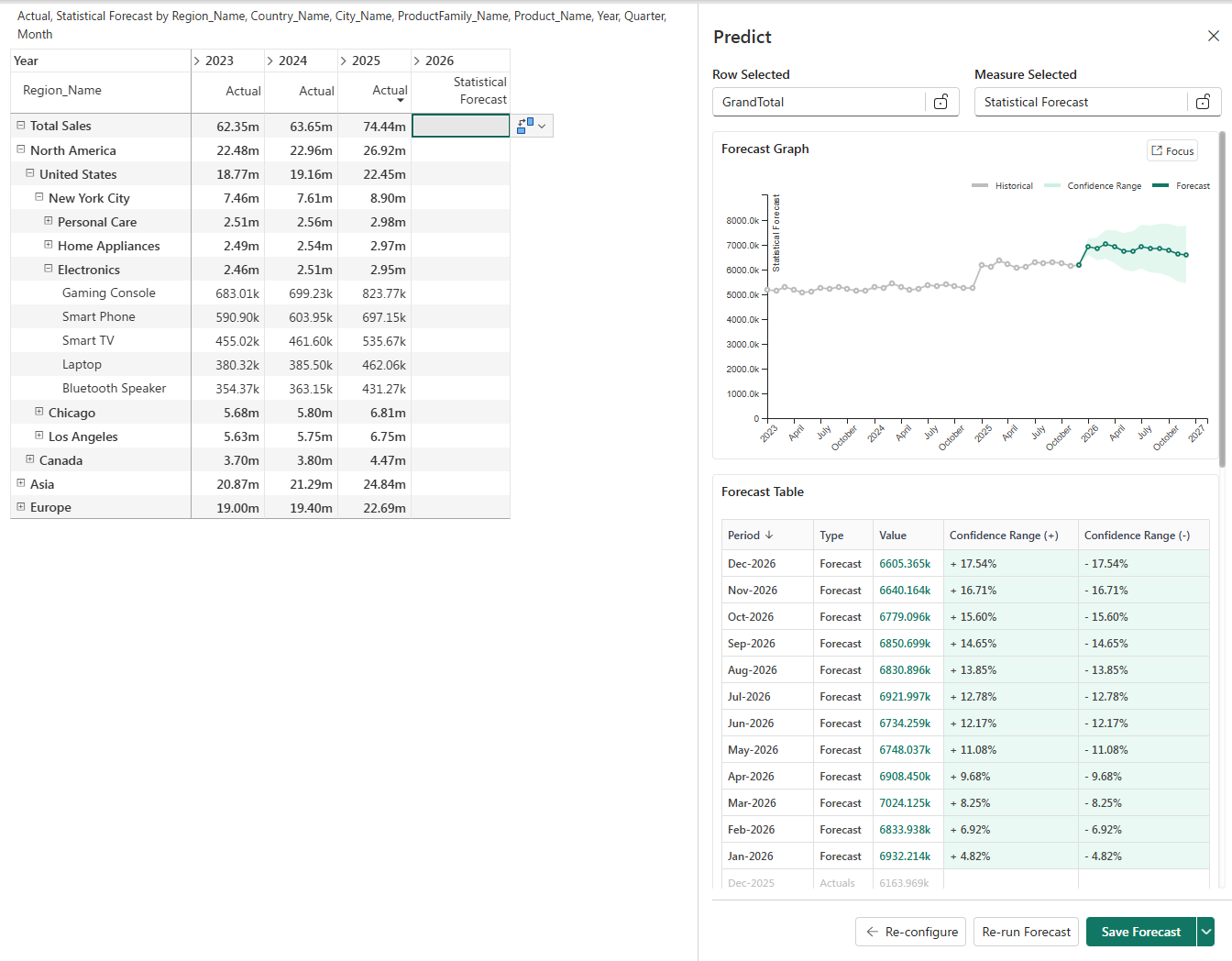
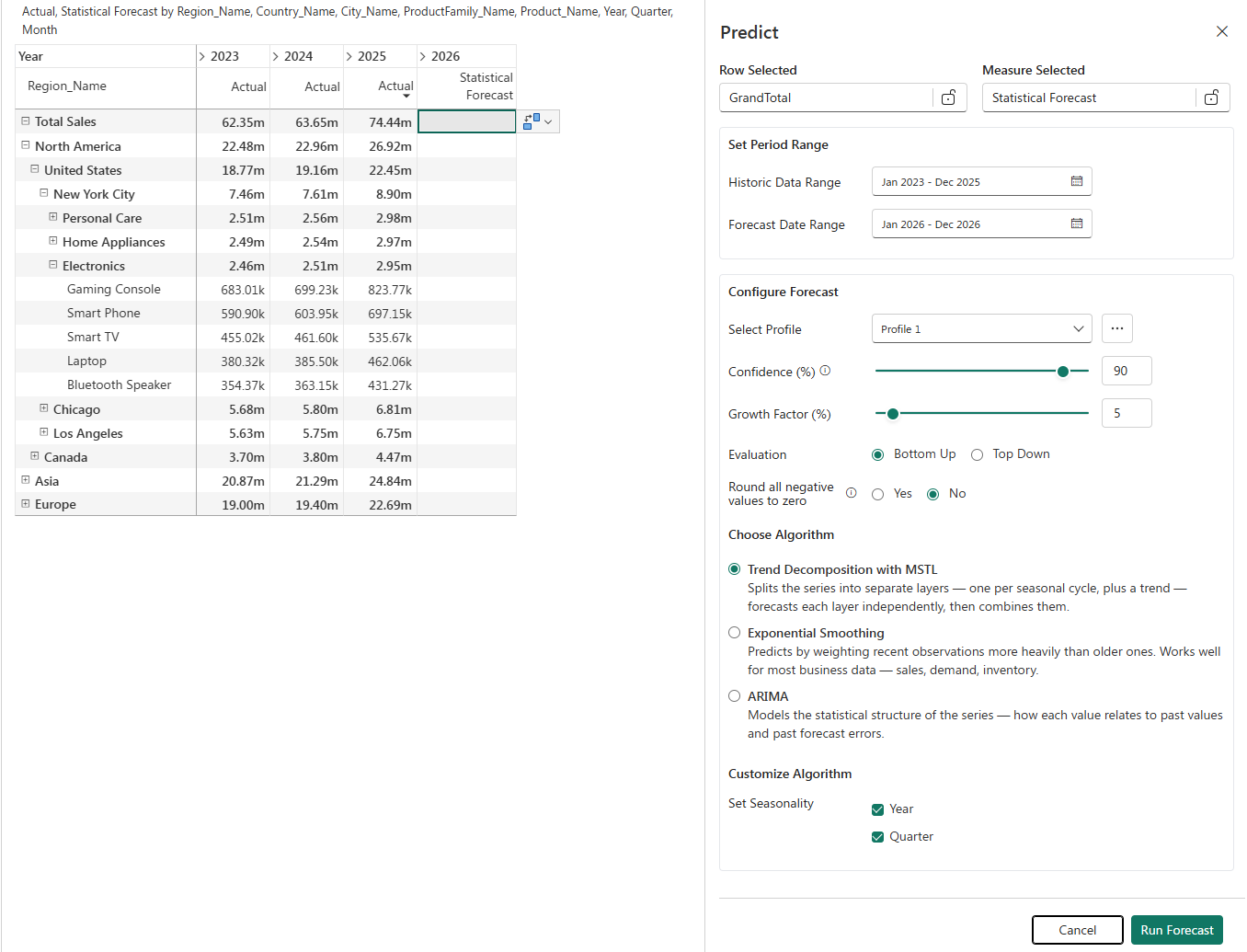
How might a time series develop? The forecast view shows historical values, a statistical forecast and its associated uncertainty range.
The time period, method and other settings provide the basis. A forecast is an assumption, not a guarantee of future performance.
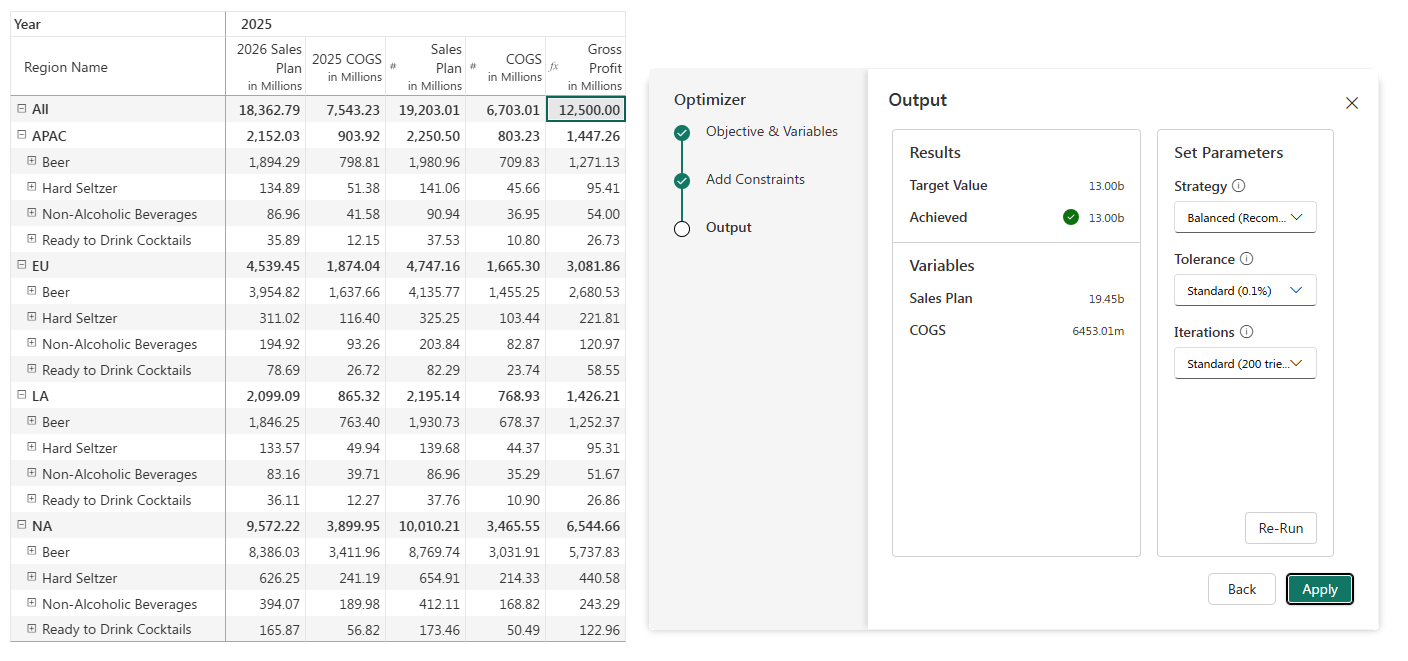
Which planning values fit a given target? The Optimizer shows the target, adjustable variables and result in one view. The selected constraints define the solution space.
Our customer projects
We have already implemented Microsoft Fabric for these companies. These projects relate to Microsoft Fabric in general, not specifically to Planning in Fabric.






Your next step
Schedule a meeting with our team and find out how Planning in Fabric can support your planning processes.
Continue to Microsoft Bookings to select a time. Please check the time zone shown there. Your details are collected only by the booking service.
Our webinar
Discover our webinar on Planning in Microsoft Fabric.
Good to know
Planning in Fabric requires a suitable Microsoft environment. Microsoft documents, among other things, supported capacities and settings for semantic models. Your environment must be assessed to determine whether it is suitable. Microsoft prerequisites.
That depends on your planning use cases, data, processes and technical requirements. Documented product limitations must be considered; suitability cannot be guaranteed in general. Documented limitations.
Costs depend on the capacity required and how it is used. A reliable estimate requires specific assumptions about your environment and intended use. Microsoft billing documentation.
Select “Book your demo” to go to our Microsoft Bookings page, where you can choose an available time. You will leave this page, and your details will only be collected by the booking service.
Ready to take the next step? Choose a time for your demo.
